Shadowrocket Introduction #
Shadowrocket is a powerful iOS networking tool mainly used for managing proxy and VPN connections.

Main Features #
- Supports multiple proxy protocols, including Shadowsocks, VMess, Trojan, SOCKS5, HTTP(S), and more
- Allows configuration and management of multiple proxy servers
- Supports subscription links for easy bulk import and update of server configurations
- Supports rule-based routing, intelligently choosing proxies based on domain name or IP address
- Supports dark mode
- Provides connection logs and traffic statistics
- Enables access to geo-restricted content
- Enhances network privacy and security
- Paid App: Shadowrocket is a paid app and must be purchased from the App Store
- iOS Only: Currently available only for iPhone and iPad
- Requires Server: You must have a valid proxy server configuration before using
- Legal Compliance: Ensure that your usage complies with local laws and regulations
Purchase and Download #
Shadowrocket is mainly used for setting up proxy internet access. Typically, users purchase a “VPN subscription” (called “airport” in Chinese). Many subscription providers offer overseas Apple IDs to make downloading Shadowrocket easier — this means you don’t need to buy a foreign Apple ID separately. Simply buy a subscription plan, and everything is ready.
Purchase link: Click to enter Baobei Cloud
- Register an account with your email
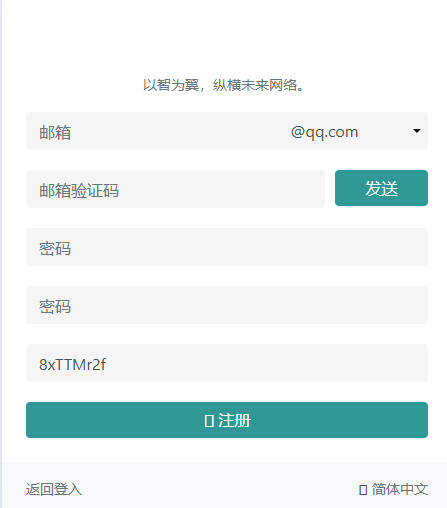
- After registration, click the top-left corner and select Buy Subscription
- Pay via Alipay, WeChat, or cryptocurrency

- After purchasing, click User Guide, which includes instructions for all client applications and provides a temporary overseas Shadowrocket Apple ID from the provider.

- Open it and find your operating system — for example, iPhone

- After successfully subscribing, you’ll see the overseas Apple ID provided by the seller

- Once you have the Apple ID, log into the App Store and download Shadowrocket.
- Follow the steps shown in the image to download Shadowrocket

Import Subscription into Shadowrocket #
- In the dashboard, click One-click Subscription, then Copy
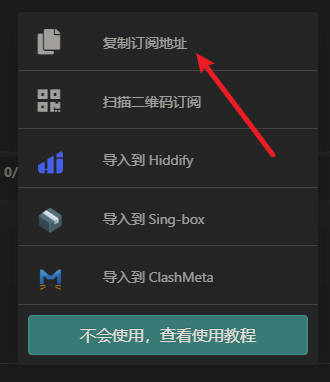
- Open Shadowrocket, tap Add Node, then select Type
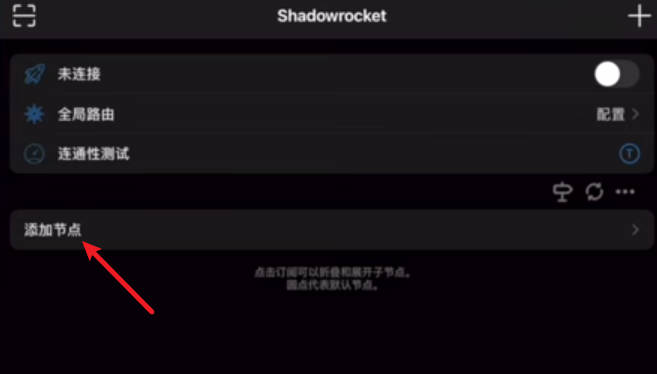
- After selecting the type, choose Subscribe
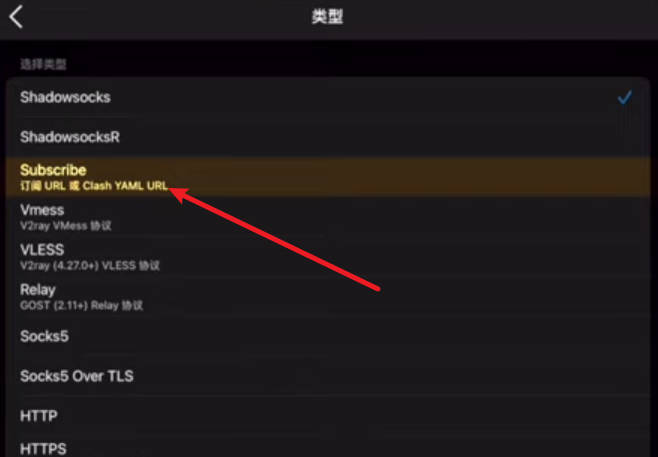
- Locate the URL field, paste the copied subscription link, and click Save
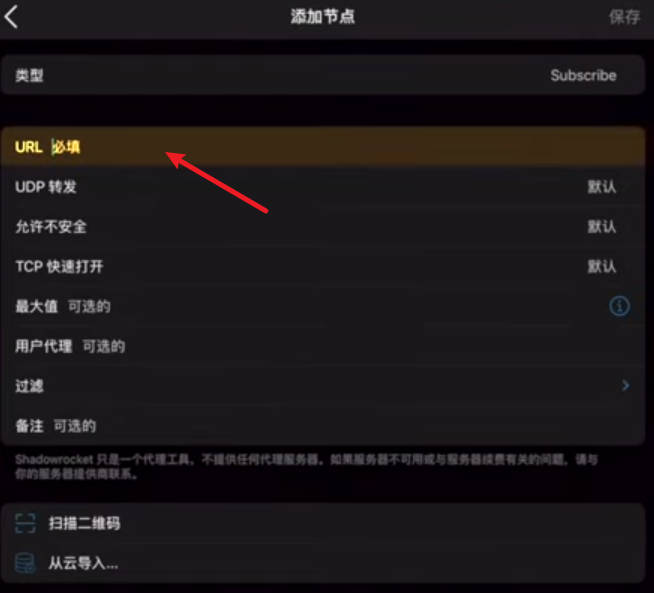
- You’ll now see multiple proxy nodes appear in the app — Shadowrocket is ready to use

- Choose a node and tap the switch button in the upper right corner to start the proxy
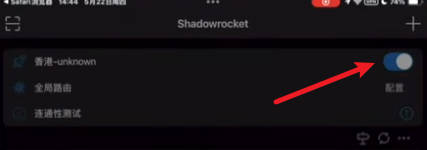
- The first time you use it, a VPN installation prompt will appear — click Allow
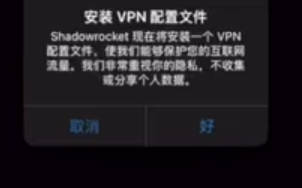
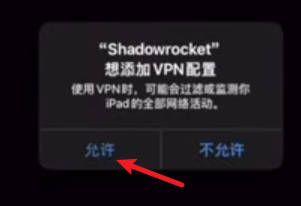
- Shadowrocket is now running — try opening ChatGPT to test your connection.